Chess 2 Player Same Computer: The Ultimate Guide to Local Multiplayer Chess in India
Last updated: June 8, 2025
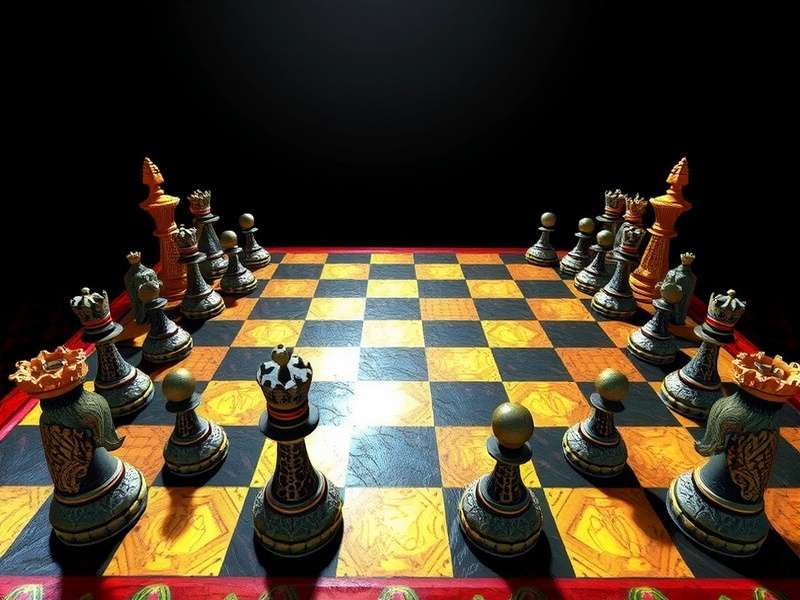
♟️ Introduction: Rediscovering the Joy of Same-Screen Chess
In an era dominated by online multiplayer, there is something uniquely intimate about sitting side-by-side with a friend, both eyes fixed on a single screen, battling it out over a virtual chessboard. Chess 2 player same computer gameplay, often called "hot-seat mode," is making a comeback among Indian chess enthusiasts who value personal interaction and the thrill of face-to-face competition.
Whether you're a student in a Delhi hostel, colleagues in a Bengaluru office, or siblings sharing a home computer, Chess Game modes that support local two-player play are perfect for building skills and relationships. The game of chess already has a rich heritage in India, originating as chaturanga over 1,500 years ago, and playing it together on one machine pays homage to that communal spirit.
🎯 Why Choose 2 Player Same Computer Chess?
Many Indian players ask, "Why play on one computer when we can play online?" The answer lies in the unique benefits of same-screen play:
- Personal Interaction: You can talk trash, cheer each other's brilliancies, and share the emotional rollercoaster of a tough endgame.
- No Time Pressure: Unlike online games with ticking clocks, local play can be relaxed — perfect for beginners learning the ropes.
- Offline Capability: Play anywhere without needing internet — a boon in areas with patchy connectivity.
- Skill Development: Watching your opponent's face when they realize a blunder is an underrated learning moment.
- Family Bonding: A game of chess on a shared computer is a great way to spend quality time with family, particularly during Indian festivals and holidays.
For those who prefer facing a digital opponent, there are plenty of options for Chess Online Against Computer modes. But when the goal is human connection, nothing beats local two-player mode.
🖥️ How to Play Chess 2 Player Same Computer
Playing two-player chess on the same computer is easier than you might think. Here are the most popular methods:
1. Hot-Seat Mode: The Classic Approach
Hot-seat mode is named after the literal "hot seat" — one player sits at the keyboard, makes a move, then physically hands the seat over to the opponent. This is the oldest and most common form of same-computer chess.
Most chess software, including popular platforms, supports hot-seat mode. The key feature is that the screen doesn't rotate; both players simply share the same keyboard and mouse, taking turns to make moves. This mode requires no special setup — just choose "two players" or "local multiplayer" from the menu.
2. Split-Screen Chess (Limited)
Some advanced chess applications offer a split-screen experience, especially on tablets or touchscreen devices. Each player gets their own view of the board, complete with their own piece perspective. While rare in chess, this approach is seen in other board game adaptations. For chess, hot-seat remains the industry standard.
3. Chess Software for Local Play
Several excellent applications and websites support same-computer two-player chess:
- PlayChessIndia — Our recommended platform for Indian players, offering hot-seat mode and local multiplayer.
- ChessBase — Powerful software for serious players, supports local play.
- Lichess — While primarily online, Lichess offers a "play with a friend" local option on mobile.
- Chess.com — The global giant, though its local two-player options are limited compared to its online features. You can learn more about them at Chesscom.
If you're new to the game or want a quick match, check out Chess Play Online options, but for the ultimate local experience, dedicated desktop apps or physical boards work best.
4. Using Chess Apps on Shared Devices
Tablets and large-screen phones are perfect for two-player chess. Many Android and iOS apps offer a "pass and play" or hot-seat mode. The larger the screen, the better the experience — a 10-inch tablet is ideal for two players to view comfortably.
♞ Chess Board Setup: Getting It Right
Before you start playing, the board needs to be set up correctly. Many casual players overlook this crucial step, leading to illegal positions. Here is everything you need to know about Chess Board Setup Diagram.
Standard Chess Board Setup
- The board should have a white square in the bottom-right corner for each player.
- The second rank is filled with pawns — eight white pawns for White, eight black pawns for Black.
- The back rank accommodates the major pieces in a specific order: Rook, Knight, Bishop, Queen, King, Bishop, Knight, Rook.
- The Queens go on their matching colors — the "white" queen on a white square, the "black" queen on a black square.
- The Kings occupy the remaining squares next to the Queen.
| Rank | Position | Pieces |
|---|---|---|
| 1st (White) | Back row | Rook, Knight, Bishop, Queen, King, Bishop, Knight, Rook |
| 2nd (White) | Pawns | 8 Pawns |
| 7th (Black) | Pawns | 8 Pawns |
| 8th (Black) | Back row | Rook, Knight, Bishop, Queen, King, Bishop, Knight, Rook |
If you are a visual learner, the Standard Chess Board Setup guide includes detailed diagrams. There's also a comprehensive guide in Hindi at Chess Board Setup In Hindi — perfect for the millions of Hindi-speaking chess fans in India.
The Role of Each Chess Piece
Understanding the pieces is fundamental. Each piece moves in a unique way, and knowing their values helps strategic planning:
- Pawn (♙) — The foot soldier. Moves forward one square (or two from the starting position), captures diagonally. Value: 1 point.
- Knight (♘) — The tricky one. Moves in an L-shape, jumps over obstacles. Value: 3 points.
- Bishop (♗) — The long-range diagonal mover. Value: 3 points.
- Rook (♖) — The powerful straight-line mover. Value: 5 points.
- Queen (♕) — The most powerful piece, combining rook and bishop moves. Value: 9 points.
- King (♔) — The most important piece. Can be checkmated to end the game. Value: priceless.
A detailed breakdown of each piece is available at Chess Pieces.
Common Board Setup Mistakes
Another frequent error is forgetting to orient the board correctly. Always confirm that the right-hand corner square is light-colored, no matter which side White plays from.
🌐 Best Platforms for Same-Computer Chess
In India, chess has exploded in popularity, thanks to players like Viswanathan Anand, Rameshbabu Praggnanandhaa, and Vidit Gujrathi. The demand for local two-player chess has grown alongside. Here are the best platforms:
1. PlayChessIndia (Recommended)
Our very own platform, www.playchessindia.com, has been designed with Indian players in mind. It supports hot-seat mode, offers guides and tutorials in multiple languages, and has a vibrant community of chess lovers.
2. Lichess.org
Lichess is a free, open-source platform that offers a "Play with a friend" feature. In the mobile app, you can choose "play locally" and hot-seat mode. The analysis board is powered by Stockfish, one of the strongest chess engines.
3. Chess.com
Though Chess.com is primarily an online platform, it does offer offline play options in its apps. The Chesscom community features articles, lessons, and puzzles that can help you improve between local matches.
4. ChessBase and Fritz
For the more serious player, ChessBase and Fritz support local two-player play, along with advanced analysis tools. These are desktop applications with deep features.
5. Magic Chess Go Go
For a fun, modern twist on chess, check out Magic Chess Go Go — a mobile-auto-battler inspired by chess mechanics. While not a traditional chess game, it borrows from chess strategy and is hugely popular in India's young gaming crowd.
🧠 Advanced Strategies for 2-Player Local Chess
Once the board is set up, the real battle begins. Here are strategies tailored for same-computer play, where psychological observation can be as valuable as tactical calculation.
Opening Principles
Control the Center
The four central squares (e4, d4, e5, d5) are the most important in the opening. Place pawns and pieces to control these squares. As a rule of thumb, try to move your e-pawn or d-pawn forward on your first move.
Develop Your Minor Pieces
Knights before bishops is a classic principle. Get your knights and bishops out early, targeting the center. Don't move the same piece twice unless necessary.
Castle Early
Castling not only protects your king but also connects your rooks. Aim to castle within the first 6–8 moves. This is especially important when playing against a human opponent who can punish a stranded king.
Middlegame Tactics
Forking Attacks
A knight fork attacks two or more pieces simultaneously. In local play, try to create scenarios where your opponent must choose which piece to save, while you gain material. Knights shine in cluttered positions.
Pinning Your Opponent
A pin occurs when a piece cannot move because exposing a relatively more valuable piece (like the king or queen) behind it. Bishops, rooks, and queens are excellent at pinning.
Skewers
The opposite of a pin: you attack a more valuable piece first, forcing it to move, which then exposes a less valuable piece behind. Rooks are the skewer specialists.
Endgame Mastery
King Activity
In the endgame, the king becomes a fighting piece. Activate him, march him towards the center, and support your pawns.
Pawn Promotion
The ultimate goal of many endgames is to promote a pawn to a queen. This represents a massive material advantage.
Opposition
In king-and-pawn endings, the "opposition" — placing your king directly in front of your opponent's king separated by one square — is a key concept. It grants you the pass, forcing the opponent to move.
Studying chess piece movements and tactics thoroughly is crucial. A deep dive into Chess Pieces and their endgame capabilities will pay dividends.
🇮🇳 The Indian Chess Community and Local Play
India is in the midst of a chess renaissance. With an increasing number of Grandmasters, academies in every city, and online platforms introducing millions to the game, the thirst for knowledge and practice is enormous.
Local, same-computer play is especially valuable in this ecosystem because it allows players to learn from each other. In Indian families, older siblings teach younger ones; in schools, friends battle during breaks. It's a social ritual that technology has only enhanced.
Initiatives like the Chess Board Setup In Hindi guides demonstrate the need for vernacular resources. Understanding board setup in one's mother tongue is a critical first step for many young Indian players from non-English backgrounds.
Moreover, the popularity of free platforms has removed economic barriers. There are numerous Chess Online Free Games that let players hone skills, but local two-player games require zero additional cost — just a single computer and a willing opponent.
🎓 Educational and Cognitive Benefits
Playing chess — in any form — enhances cognitive abilities, but same-computer play adds social and emotional skills:
- Problem-solving: Every position is a fresh puzzle. Your brain rewires itself to recognize patterns, calculate variations, and make decisions.
- Concentration: A game that can last 40 moves demands sustained focus. Local play eliminates the distractions of online chats and notifications.
- Sportsmanship: Shaking hands after a game, whether you won or lost, builds character. Local play reinforces these social rituals.
- Memory: Opening theory and tactical patterns require memory retention, keeping the brain sharp.
- Logical reasoning: Chess is a manifestation of logical cause and effect: if I do this, they can do that. Learning this logic early helps.
🛠️ Chess Board Setup Tools and Editors
Before playing or studying, you might want to visualize a specific position. This is where Chess Board Setup Editor tools shine. These allow you to place pieces on an empty board, save positions, analyze and share them.
Our own Chess Board Setup Diagram can help you visualize the standard starting position. And if you'd like a more interactive experience, the board setup editor supports:
- Drag-and-drop piece placement
- FEN notation generation
- Multiple board styles (classic wooden, tournament, minimal)
- Save and share positions
📱 Mobile Apps for 2-Player Same-Device Chess
In India, where smartphones are often shared among family members, mobile chess apps that support local play are gold. Here are the best ones:
| App Name | Platform | Local 2P Mode | Notable Features |
|---|---|---|---|
| Chess.com | iOS/Android | Pass & Play | Huge community, lessons, analysis |
| Lichess | iOS/Android | Local Play | Free, open-source, puzzle modes |
| PlayChessIndia | Android | Hot-Seat | Indian community, Hindi content |
| DroidFish | Android | Hot-Seat | Stockfish engine, advanced analysis |
These apps are perfect for playing chess with two players on the same phone, especially when you're traveling on an Indian train journey or waiting at a café.
🧠 The Psychology of Playing on the Same Screen
Playing chess with someone in the same room is an intensely psychological experience. You can observe their blinking, their breathing, the way their hand hovers over a piece. This face-to-face dynamic adds a layer of complexity that is absent in online play.
The Bluff Factor: In local play, you can feign confidence in a losing position, hoping to intimidate your opponent. Good players learn to read these cues and distinguish genuine confidence from a well-played facade.
Silence as Strategy: Sometimes, the most unnerving thing you can do when your opponent makes a mistake is to move instantly and quietly, without any change in expression. It's a form of psychological pressure that's far more effective in person.
Time Pressure: Even without a clock, the pace of play creates subtle time pressure. If you find yourself thinking too long, your opponent may intuitively sense your uncertainty, which can inspire their own confidence.
Understanding these dynamics can make you a stronger chess player — because you're not just playing the board, you're playing the person across from you.
🔥 Challenges of Same-Computer Chess and How to Overcome Them
Screen Glare and Viewing Angles
One major issue is screen visibility: if the computer is plugged into a laptop, two players sitting side-by-side might strain their necks to see the board. Solutions:
- Use a laptop stand and maximize the screen brightness.
- Connect to a larger external monitor if possible.
- Position the screen directly between both players.
Touchpad vs Mouse
Sharing a mouse can get awkward. Many hot-seat games allow each player to use their own input device if the computer supports multiple mice — but that setup is rare. A simple workaround is to alternate mouse control after each move.
Spilling Arguments
Friends and siblings can get heated during chess, sometimes arguing about a rule or a miscalculation. The key is to agree on rules beforehand, especially regarding touch-move — the rule that says if you touch a piece, you must move it. Deciding this in advance prevents disputes.
📈 How Local Chess Helps You Improve Faster
Many adult learners wonder: "Is playing on the same computer with a friend as beneficial as playing online?" The answer is arguably yes — here's why:
- Immediate feedback: After each move, you and your opponent can verbally discuss alternatives, mistakes, and better ideas. This real-time dialogue accelerates learning tremendously.
- No fixed meta: Online play often follows the latest tournament trends. Local play lets you experiment with weird openings (as a surprise) without worrying about being punished statistically.
- Deepened understanding: Playing repeatedly against the same opponent helps you understand their style, and vise versa. This leads to a deep understanding of opening preparation and positional nuance.
- Unmatched focus: Digital notifications and chats are non-existent in hot-seat games, allowing pure chess immersion.
🏆 Same-Computer Chess and Indian Local Events
Across India, local chess clubs, universities, and cultural centers are embracing same-computer tournaments — especially before the internet became all-pervasive. Even today, many training camps use a single computer with a large display for "coach vs student" sessions. This is a perfect example of same-computer chess in a training scenario.
In 2024–2025, there's been a rise in informal "cyber chess cafés" in Indian metro cities, where friends gather to play chess on networked computers. Some of these venues specifically offer hot-seat modes for those who prefer physical proximity. This hybrid vibe keeps the tradition alive while adding modern tech convenience.
For those who can't make it to such venues, Chess Online Free Games offers a convenient escape, but local play remains the purest form.
🔮 The Future of 2-Player Same-Computer Chess
With the rise of AI and online gaming, some believed that local multiplayer would die. But the opposite has happened: the physical, social nature of meetings is rare in the digital world. As Indian chess platforms like ours grow, we're seeing increased demand for hot-seat modes, local leaderboards, and mixed offline/online features.
Augmented reality (AR) and large-screen TVs are the next frontier. It's possible that in the next decade, we'll see a chess board projected onto your coffee table via AR glasses, allowing two players to interact with the pieces physically while AI overlays offer analysis. The essence remains: two players on the same "device", engaging in the time-honored fashion.
⚖️ Local Same-Computer vs. Online Play: A Comparative Look
| Aspect | Same-Computer | Online |
|---|---|---|
| Internet required | No | Yes |
| Social interaction | High (verbal/physical) | Low (chat possible) |
| Psychological aspect | Strong | Limited |
| Opponent pool | Only your local friend | Millions worldwide |
| Time pressure | Adjustable/flexible | Fixed (blitz/rapid) |
| Rule enforcement | Manual (depend on each other) | Automatic |
| Skill matching | No matchmaking | ELO-based |
| Convenience | Easy (just boot up) | Requires signup/login |
Both modes have their merits. For improvement, a mix of both is ideal: hot-seat for learning and relaxation, online for competition and testing your mettle. When upgrading from local to online play, consider starting with free options like Chess Play Online. They'll help you adjust to the speed and severity of online competition.
❓ Frequently Asked Questions About Chess 2 Player Same Computer
1. Can I really play chess with two players on one computer?
Absolutely! The feature is called "hot-seat mode" and is available in many chess programs, including Lichess, ChessBase, and dedicated local-play apps. Both players take turns using the same keyboard/mouse to make their moves.
2. Is same-computer chess free?
In most platforms, yes — Lichess and many mobile apps offer hot-seat mode for free. Advanced software like ChessBase is paid, but the core feature of local two-player play is usually included even in free versions.
3. Does the screen flip between players?
Traditionally, no. The board stays the same orientation for both players, just like a physical chessboard. Both players are expected to mentally visualize the board from their own perspective. However, some modern apps do offer a screen-flip option for the second player's turn.
4. Can we play 2 player chess on a laptop?
Yes! A laptop works perfectly for same-computer chess. The only consideration is screen size — a 15-inch screen or larger is better for comfortable viewing. Connecting to a bigger monitor or TV is even better for extended sessions.
5. What is the best website for 2 player same computer chess?
PlayChessIndia is your best bet! We specifically support this gameplay mode and provide content tailored to Indian players. We also recommend Lichess as a strong free alternative.
6. Can you play 2-player chess on Chrome?
Some Chrome-compatible web apps offer local two-player. Our platform works in Chrome, and Lichess can be used in the browser with local play options. You might also look at browser-based chess generators that simply render a board with alternating input.
💬 What Indian Players Say About Same-Computer Chess
These anecdotes highlight the enduring appeal of local multiplayer chess, especially in a social culture like India.
🏁 Conclusion: Embrace the Shared Chessboard
Chess 2 player same computer gaming is a beautiful, accessible and educational way to enjoy the world's oldest and proudest board game. It doesn't require an internet connection, a powerful console, or even two separate devices. A single laptop or PC is enough to create hours of mental and emotional entertainment.
From understanding the Standard Chess Board Setup to mastering advanced endgame techniques, the journey of chess is heightened when shared. The game breathes and lives between two people, not through a server. So gather a friend, open a hot-seat chess app, and experience the joy of old-school local play today.
If you want to turbocharge your skills, remember to study the Chess Board Setup Diagram, learn from the Chess Pieces guide, and check out other pages on our site for more chess knowledge and game modes. For a casual alternative, try Chess Online Free Games or the whimsical Magic Chess Go Go.
And don't forget the Spanish chess enthusiasts out there — they can enjoy our Ajedrez Chess page for a lot of the same content in Spanish. The universal language of chess knows no boundaries.
Leave a Comment